


Archive for the 'Geek' Category

Why can’t Adobe conform to Adobe?

Adobe Photoshop CS Logo

I’ve just read a plea from Jon Hicks about his inability to change a hotkey in Photoshop. I felt for him, because I have to deal with that sort of problem on an almost daily basis.

At work, we recently got the Adobe Creative Suite. That’s five Adobe applications (Photoshop, Illustrator, ImageReady, InDesign, VersionCue) in one box — its like the Microsoft Office of the creative world.

Now all of these applications, with the glaring exception of VersionCue (don’t even get me started), are fantastic applications in their own right. Whats more, their interfaces are all very similar — meaning that someone who is familiar with Photoshop can quite easily get to grips with Illustrator or InDesign.

Now, this is all well and good, but there are a number of glaring omissions that just serve to irritate me. Jon has already mentioned that there are certain hotkeys that can’t be remapped. But there are loads of other things that could so easily be sorted.

It might sound like nit-picking, but to me it all all adds up to a very disjointed user experience.

Take the Colour Picker for example. In Photoshop its lovely. In Illustrator its like they thought “lets make it the same as Photoshop’s” — and then gave up halfway through, and threw an ugly unfinished mess at the screen – it doesn’t even have the built-in eyedropper tool! Its different again in ImageReady too. Why they can’t all use the same one I don’t know.

Now lets take the options palette – in Photoshop it can be docked with the menu bar. InDesign lets you do that too, and yet in ImageReady it can’t be done. Whats that all about? Mind you, Illustrator doesn’t get an options palette at all…

It doesn’t stop there either. All of the applications use slightly different looking palettes too. Photoshop and Illustrator have diddy little title-bars across the tops of their palettes, whereas ImageReady uses gert big thick ones. InDesign goes off on its own and tries to hide them away in tabs on one side of the screen. Group palettes together and the join is different between Illustrator and Photoshop.

It might sound like nit-picking (and to a certain extent it is), but to me it all all adds up to a very disjointed user experience. By all means mess about with the interface and make life easy for me, but for goodness sake, make it consistent! I for one really hope that Adobe get it sorted in time for the next release of the Creative Suite.

The keyboard survives again!

Black Dell Keyboard

Last week, whilst eating a bacon-and-egg sandwich, I managed to launch egg-yolk into my keyboard, necessitating a long and drawn out clean-up operation.

This morning, I was opening a bottle of Irn Bru, which unexpectedly did a fizz-whoosh thing and sploshed all over the very same keyboard. Another long and drawn out clean-up operation later and we’re back on track.

As Owen commented at the time: “You’ll be able to get a whole meal out of that thing soon!”

oqo my word, thats tiny!

The OQO uPC

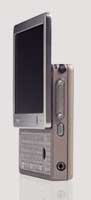
The oqo personal computer is the coolest little gadget I’ve seen in ages…

Its got “…a 1GHz processor, a 20GB hard drive, 256MB of RAM, a color transflective display, and integrated wireless, as well as Fire Wire and USB ports.”

And get this: “…in the desktop stand it is a desktop computer, allowing you to connect easily to a variety of peripherals, including full-size keyboards, printers, scanners, and high-resolution monitors.”

The coolest bit? Its 4.9 inches long, 3.4 inches wide and 0.9 inches thin. That’s proper diddy – about the size of the old Psion Revo PDA. Gadgetastic!

The Gallery

It took me a while, but I found one. A simple PHP based gallery system, that uses XHMTL and CSS for the layout.

If only I’d googled “Simple PHP Gallery” in the first place I might well have found it at my first attempt. Because its called just that – and it comes from relativelyabsolute.

The only pictures in there at the moment are some from a trip to Bringewood in July of last year, that I was using to test it all out. I guess I’d better get a new digital camera to fill it out a bit then. Canon Powershot A85 anybody? Update: Its entirely possible that I’ve just ordered that very camera…

Right, non geeky readers can stop reading right about now and go look at the pictures…

The Geeky Bit: Implementing SPG

Still with me? Good.

Installing SPG is dead simple. Download the .zip file, extract it, and then upload that to a folder on your website. As the system is so very very simple, its dead easy to customise it to fit in with your site aswell. Just alter sp_index.php and sp_styles.css to suit.

The hardest part came about because I’m using a fixed width template on this site. Left to do as they pleased, images that were wider than the site quite simply broke it. So I decided to set a max-width on the images, then let the user click on them if they wanted to see them full size. Easy enough, or so you’d think. Just set the max-width in the CSS file and alter sp_index.php to put a link around the image. No problem.

That is to say, no problem until we come to test it in Internet Explorer. IE doesn’t actually support max-width does it? JavaScript to the rescue then.

With a bit of help from the peeps on the SitePoint forums, I knocked up a simple little script especially for IE, that figures out if the image is too big and scales it appropriately. You can find it in the head portion of the gallery pages.

Tresure Box

Its an ace little flash game thats well worth a play. Reminds me of the old Monty Python animations: Tresure Box.

Making This Work

This site appears to use a fairly simple layout doesn’t it? Thats because it does. Its basically one column, and its got a little grey sidebar floated over there.

So why is it proving to be such a [string of expletives] to get it to work properly in Internet Explorer 6? Huh? Its because there’s a little grey sidebar floated over there.

Incredibly, it works better in the veritable old IE5.5 than it does in its big brother.

Apart from the fact that Internet Explorer is incredibly insecure and prone to being hacked, its layout engine (the bit that draws stuff on the screen) is fundamentally flawed. Start floating things around the screen and it gets all confused and things begin to go horribly horribly wrong.

Why is it still like this? Mainly because it laid stagnant for several years (when it had no real competition), and then when Microsoft did get around to working on it again, they’ve been too busy patching up all of the enourmous security holes to worry about how it carries out its primary function: drawing pages on the screen. I’m not bitter.

Ever so sorry. I need to have one of these rants about it every once in a while. You know, my life would be a lot easier if you lot would use Firefox or another decent browser. Get to it right away or I’ll set the h@xx0r5 on your system.

Update: I made it work!!!

It meant completely rethinking the site layout, but I made it work in IE. I had to use absolute positioning and lose the spangly footer in the end. Bah humbug.

Sir. Dennis Thatcher

One of the best spam/scam messages that I’ve seen in quite some time – luckily Thunderbird’s spam filter missed it or I might never have seen it…

Dear Sir

We are Attorneys and Executor of the estate of Late Sir. Dennis Thatcher, I wish to notify you that late Sir. Dennis Thatcher, made you a beneficiary to his will. He left the sum of Three Hundred and Fifty Thousand Pounds Sterling (350,000 BPS) to you in the codicil and last testament to his will. This may sound strange and unbelievable to you, but it is real and true. Being a widely traveled man, he must have been in contact with you in the past or simply you were nominated to him by one of his numerous Friends abroad that wished you good.

Mmm hmmm? Thats why you sent it from a free webmail account in Germany is it? Thought so.